
Launch the Agent Server
Open Settings → Larkup Server → Server, switch the toggle to Agent, and select Launch server.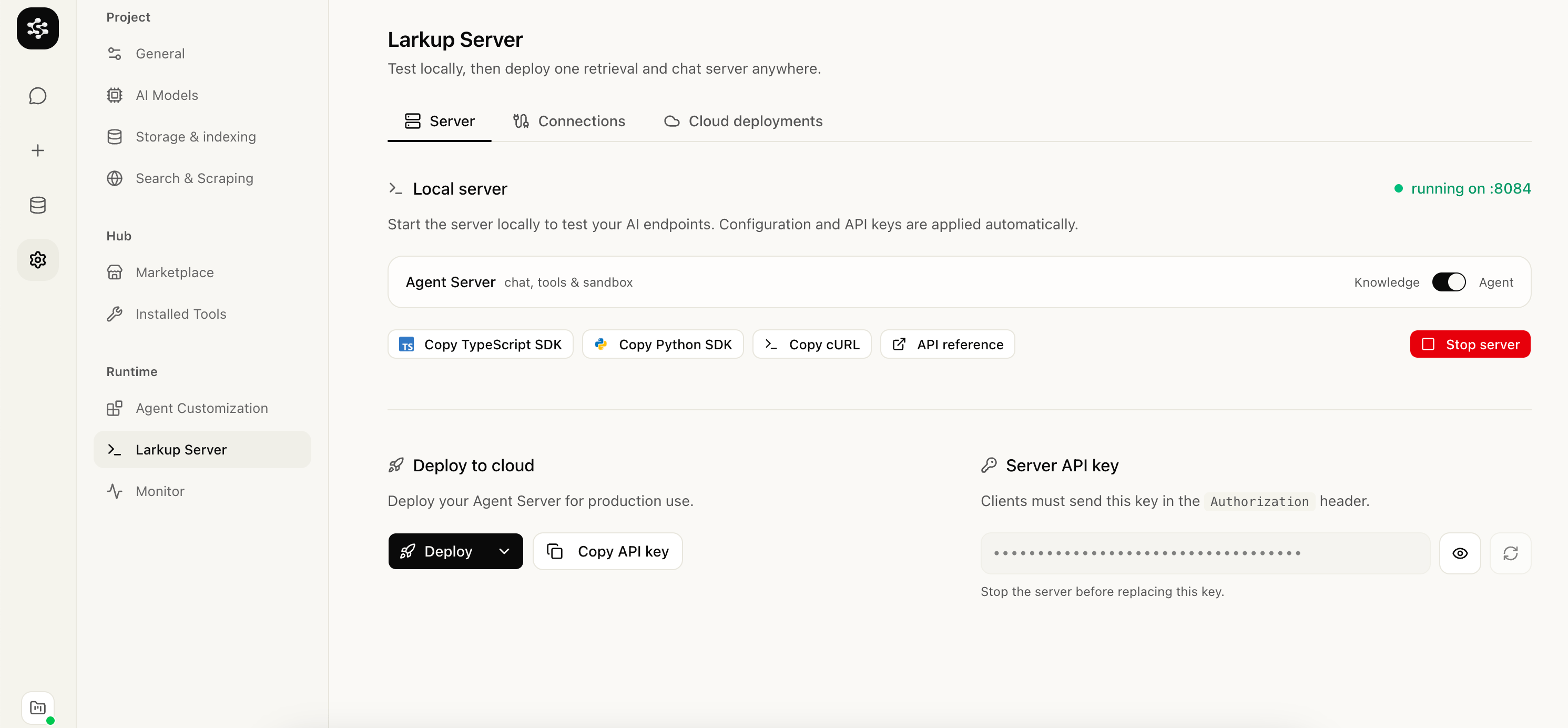
Launching the Agent Server
Connect a channel
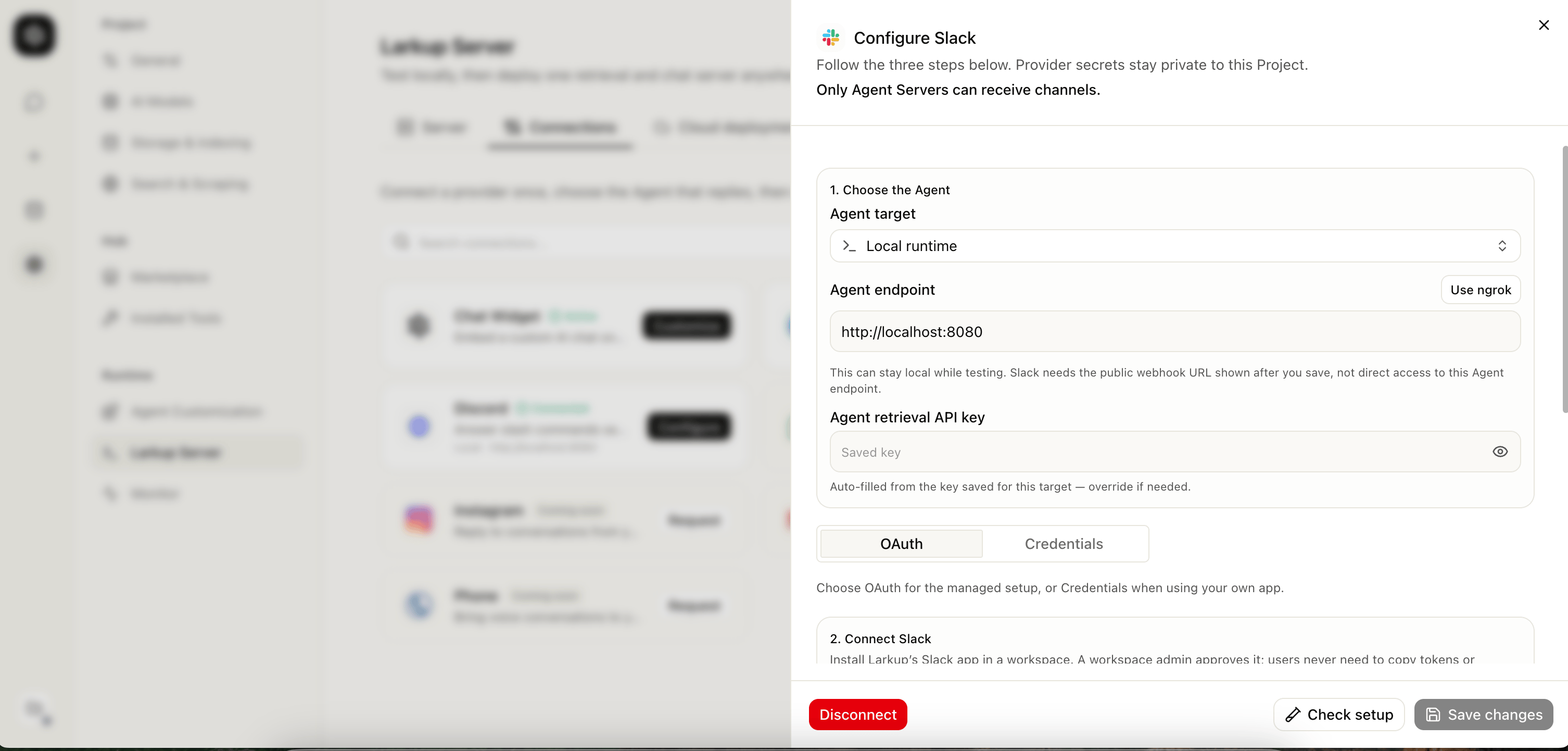
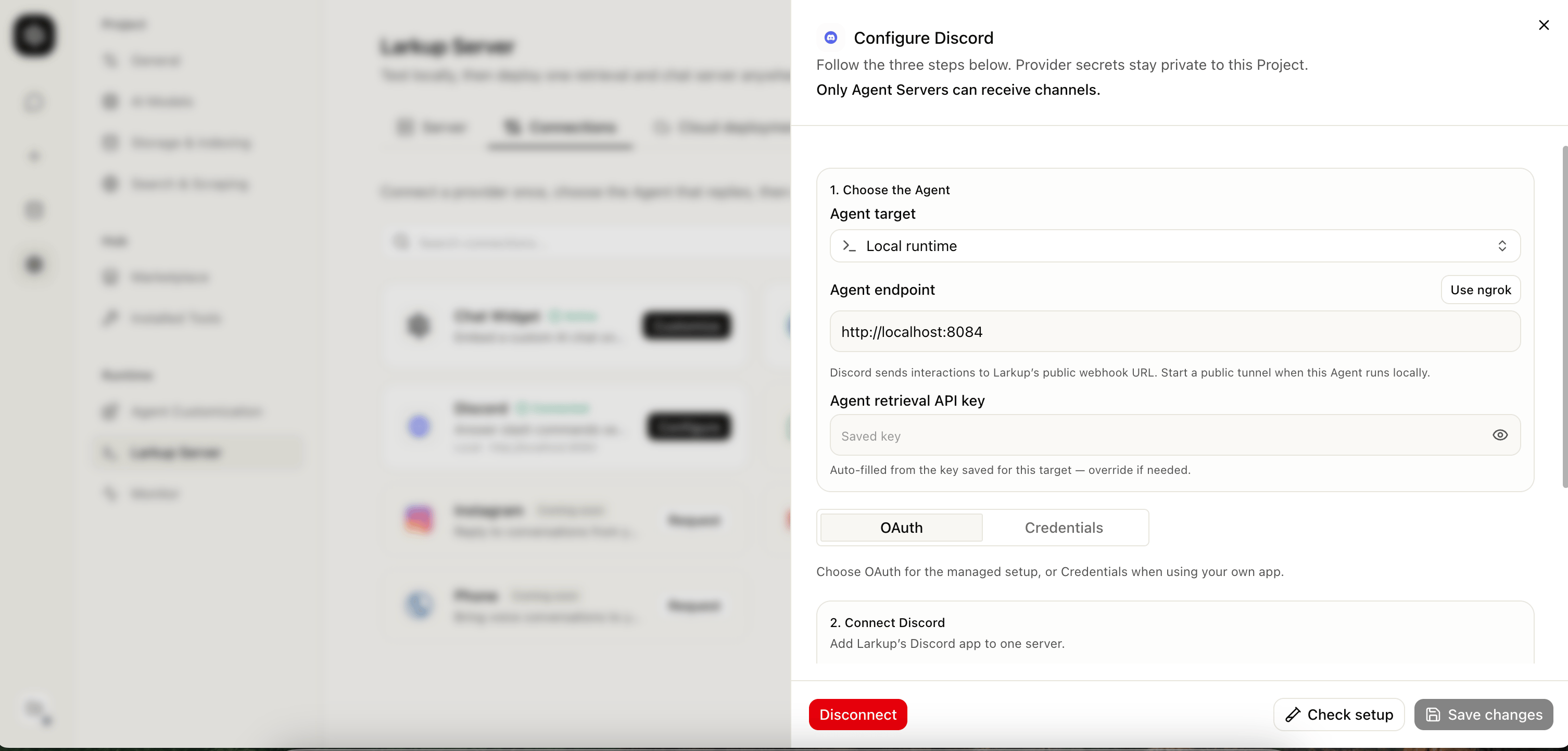
Open Settings → Larkup Server → Connections and choose Telegram, Slack, or Discord. Every channel starts the same way: pick the Agent that should answer, then connect the provider.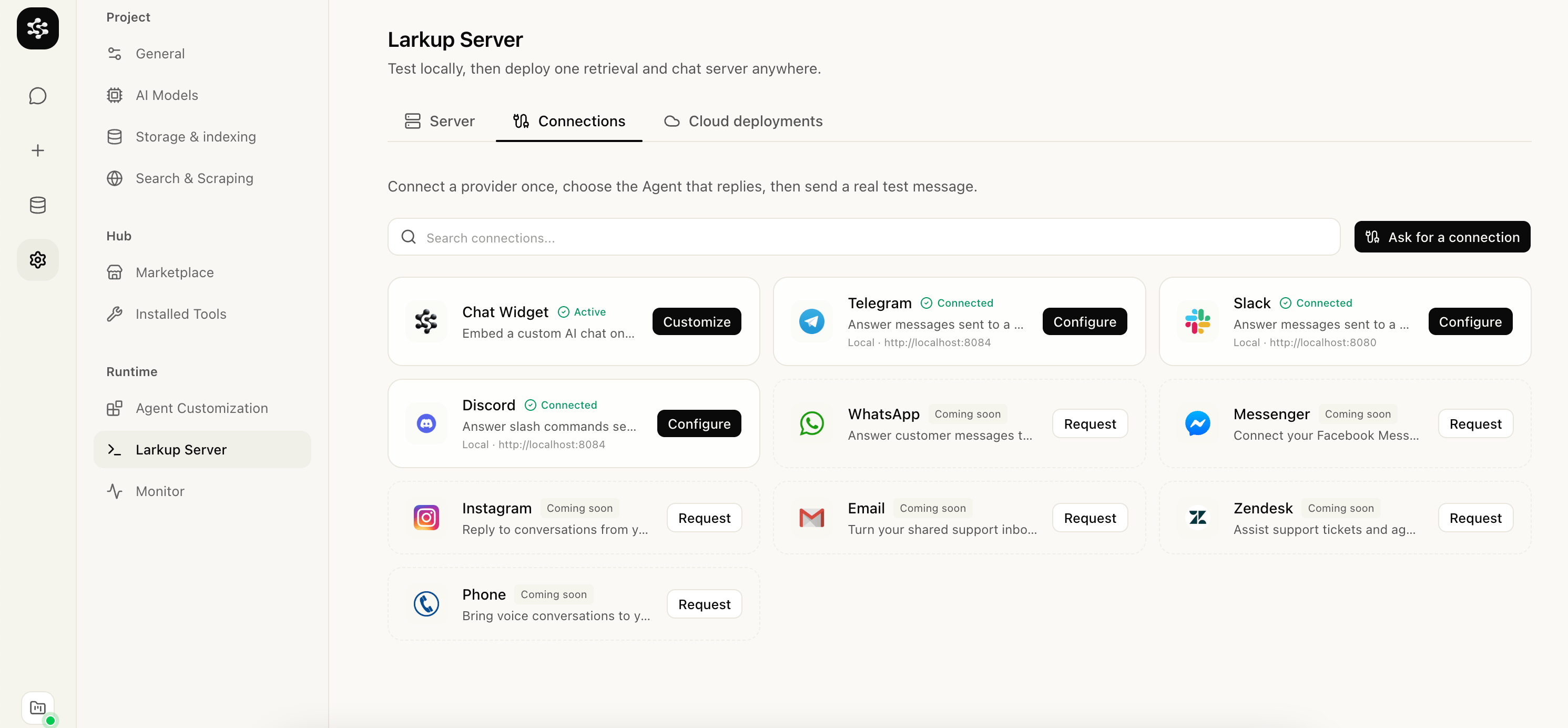
Connections tab with Telegram, Slack, and Discord
- Telegram
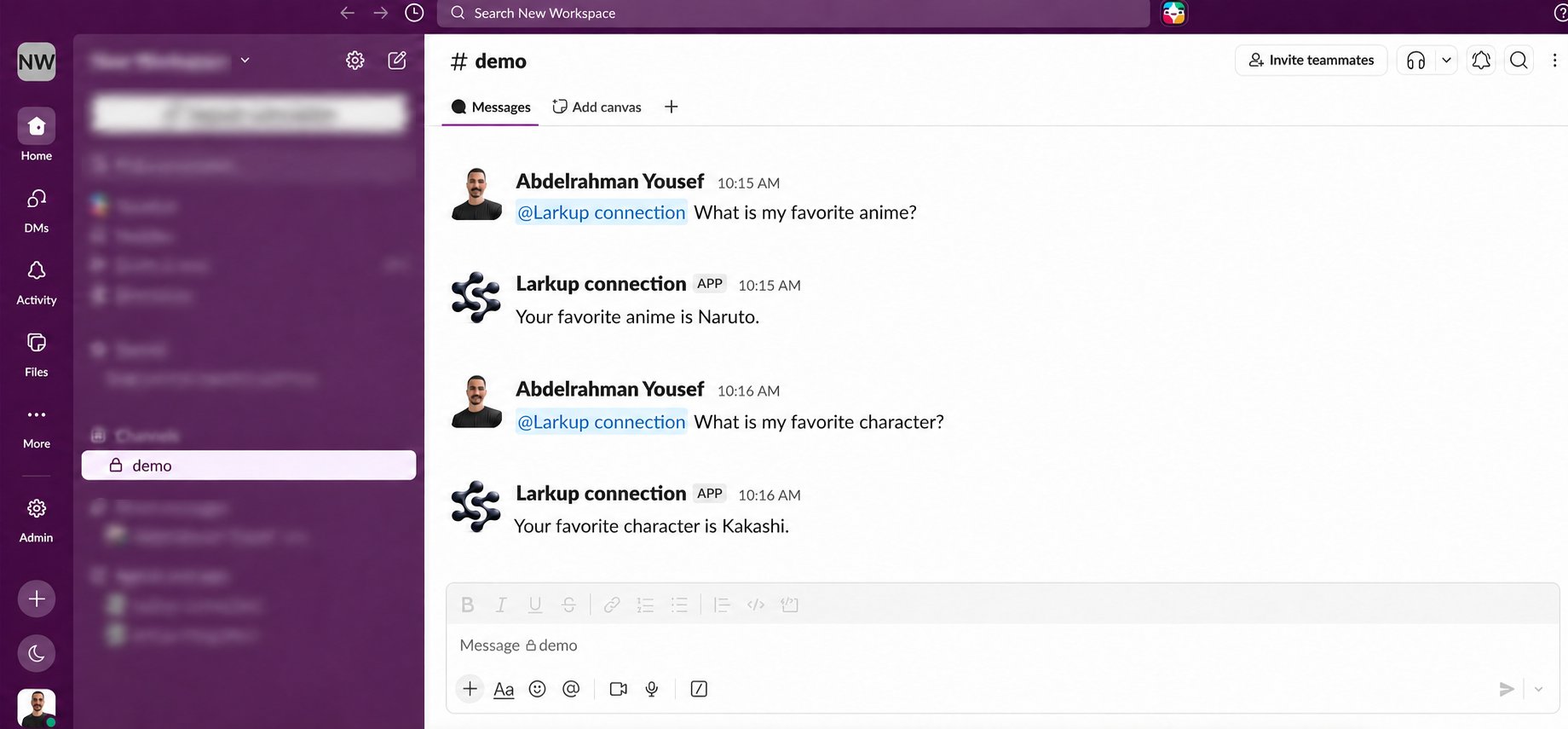
- Slack
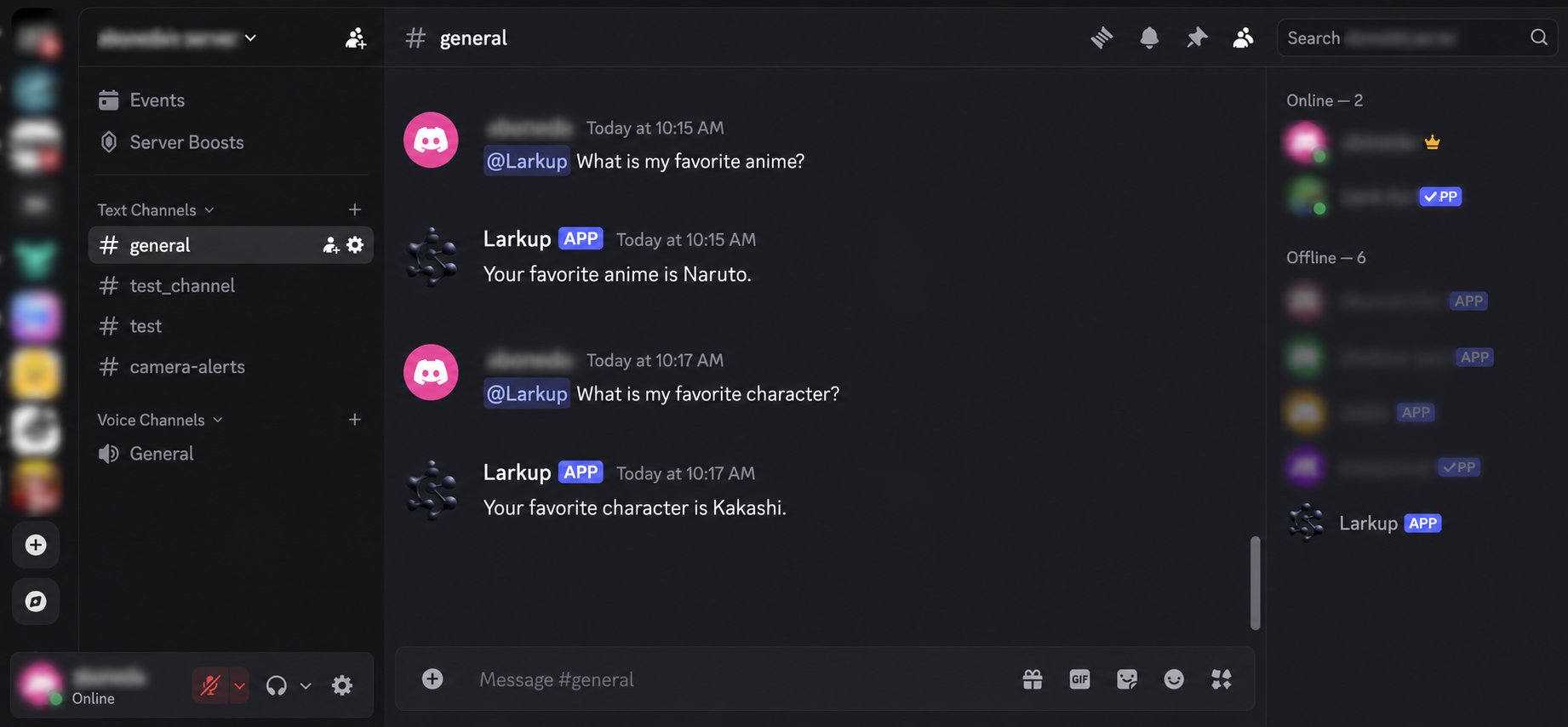
- Discord
- Open @BotFather in Telegram, create a bot, and copy its token.
- Select Telegram, choose the Agent that should answer, paste the token, and save. Larkup registers the webhook automatically.
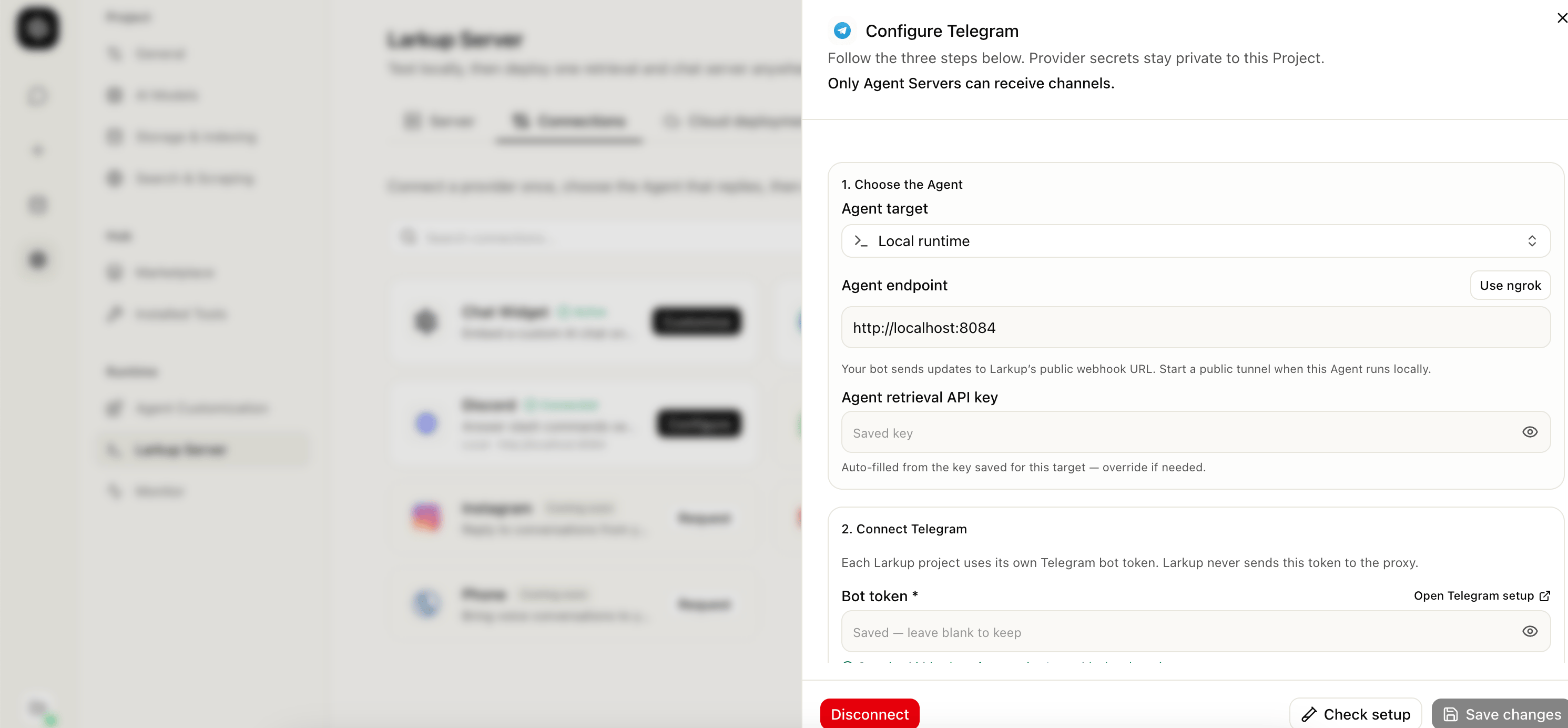
Configuring the Telegram connection
- Larkup shows an Open Telegram bot button once it verifies the bot. Send it a message.
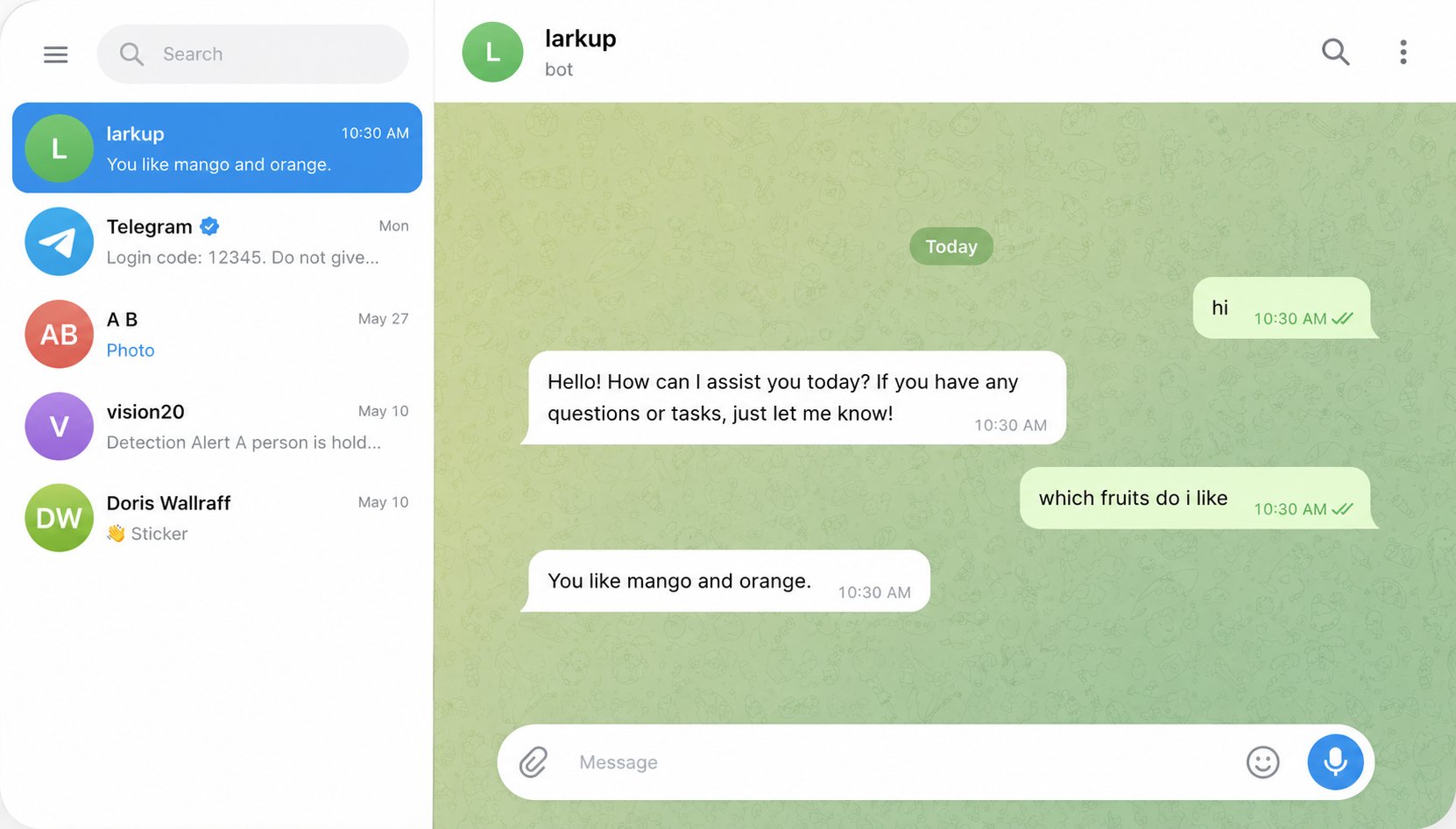
Chatting with the Agent through Telegram