

Installing the tool
Go to Settings → Marketplace and install Document Editor.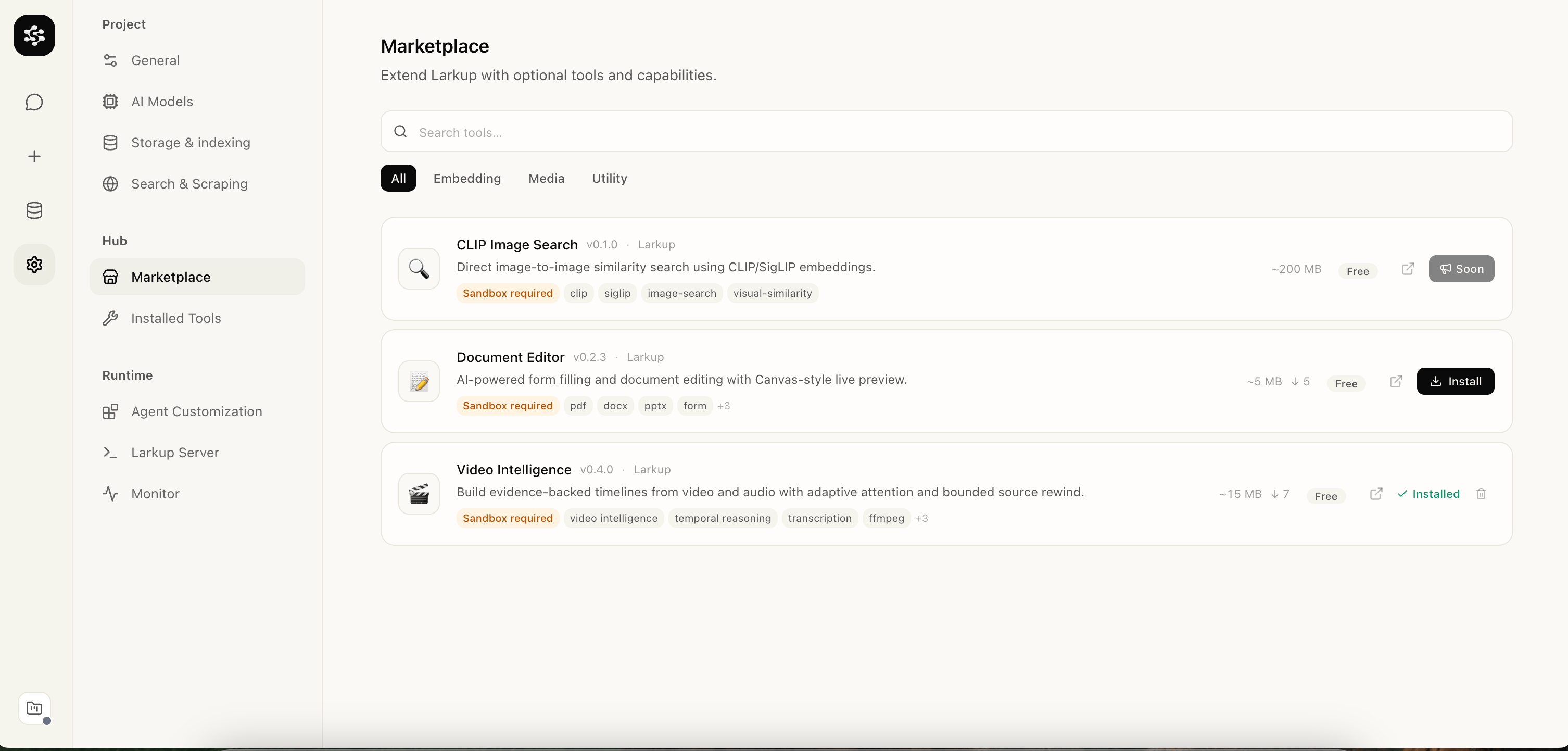
Document Editor listed in the Marketplace
Uploading your document
Go to Data → Files and upload your PDF or Word document. Larkup indexes it and makes it available in Chat.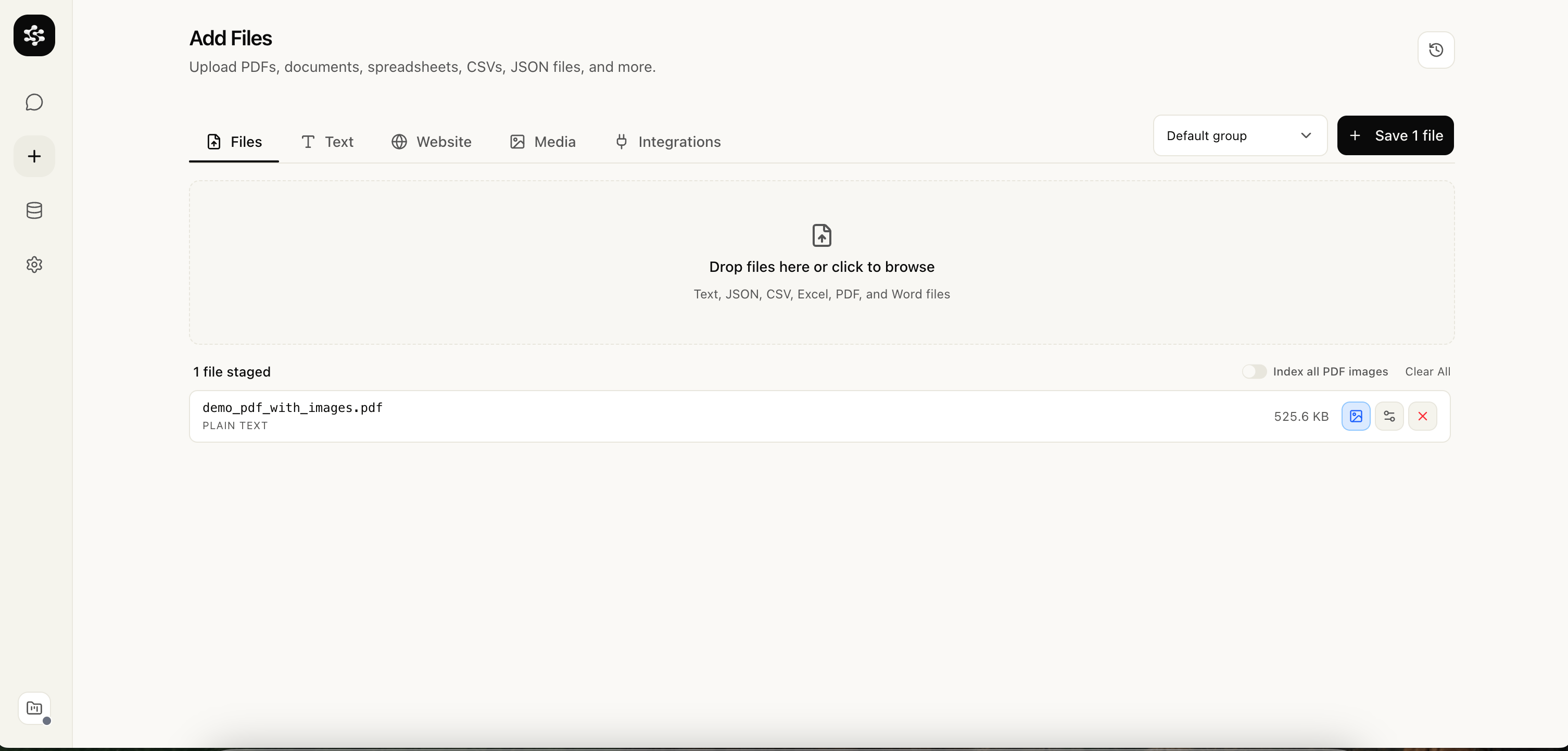
Uploading a PDF from the Files tab
Signing and filling in Chat
Open Chat and ask the AI to sign or fill the document. For example:“Sign demo_sign.pdf on page 1”Larkup detects the signature fields and opens a signature widget inline. You can type your name, draw a signature, or upload an image. Your saved signatures are available for reuse across documents.
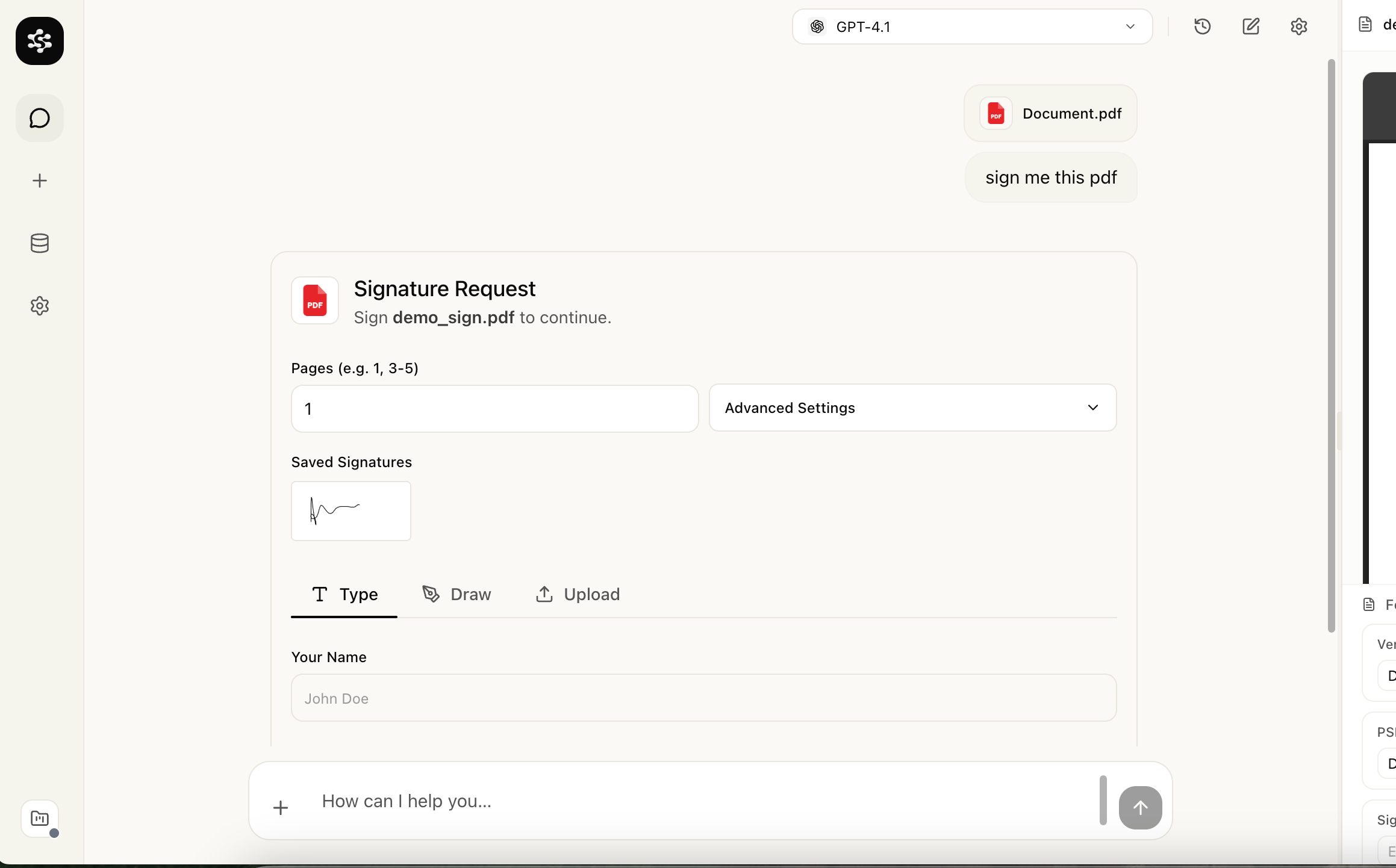
Signature request rendered inside Chat
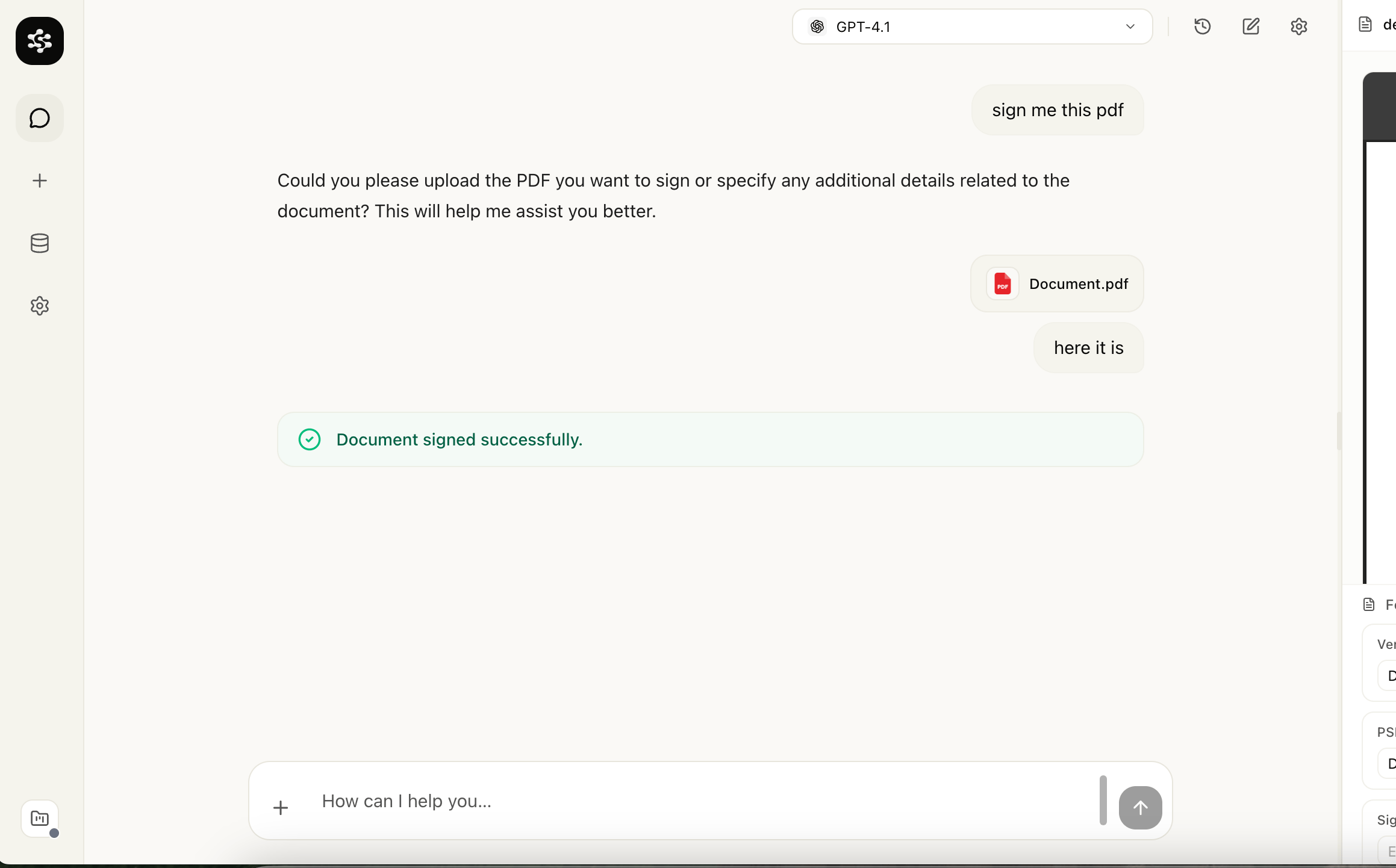
Confirmation step showing the signature placed on the document