> ## Documentation Index
> Fetch the complete documentation index at: https://larkup.de/documentation/llms.txt
> Use this file to discover all available pages before exploring further.
# Chat with Video
> Ask questions about a video and get answers with a timestamp.
Import a video and ask about it in Chat. Larkup finds the moment, plays it back, and cites the timestamp.
## Install the tool
Open **Settings → Marketplace** and install **Video Intelligence**. You only need to do this once.
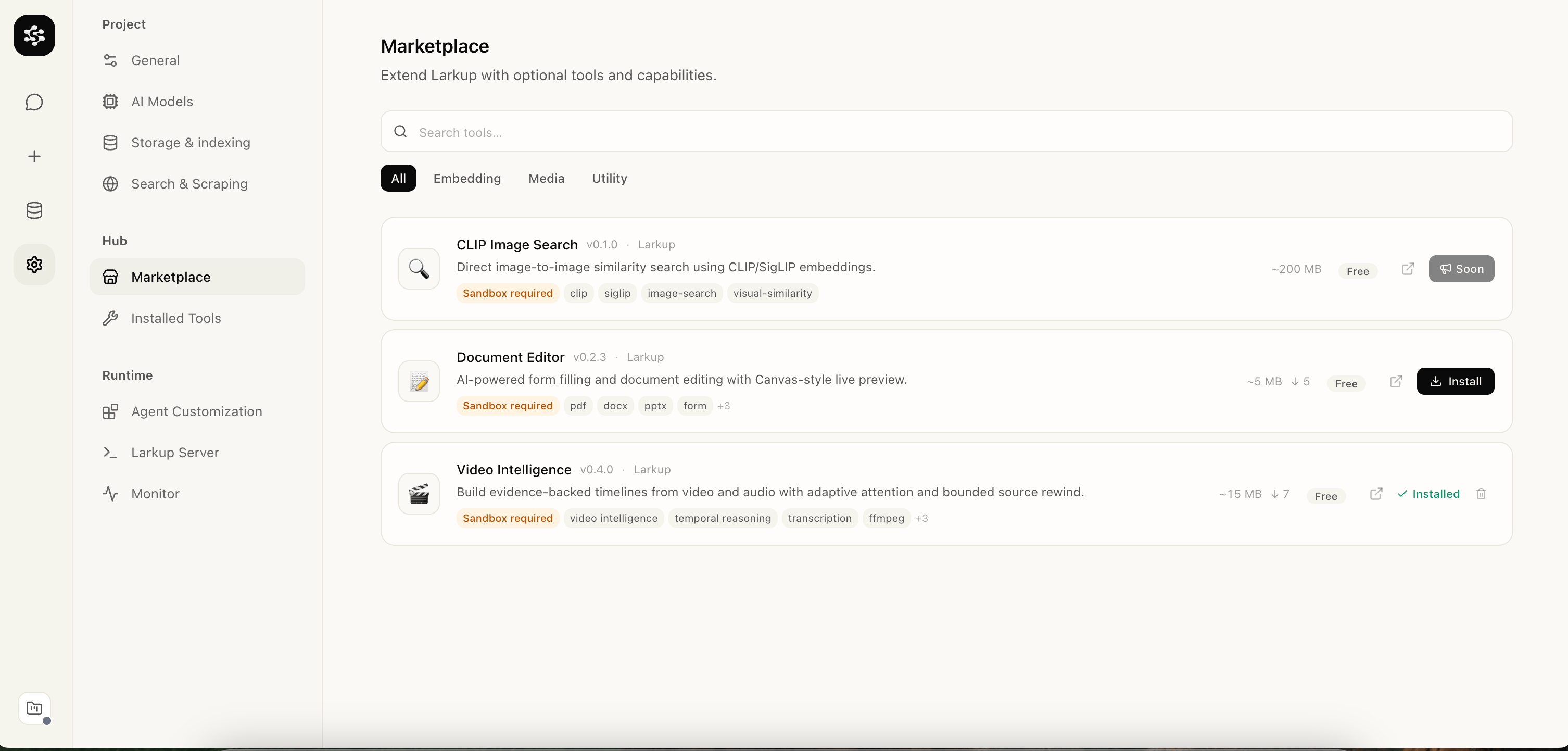 ## Set the transcription provider
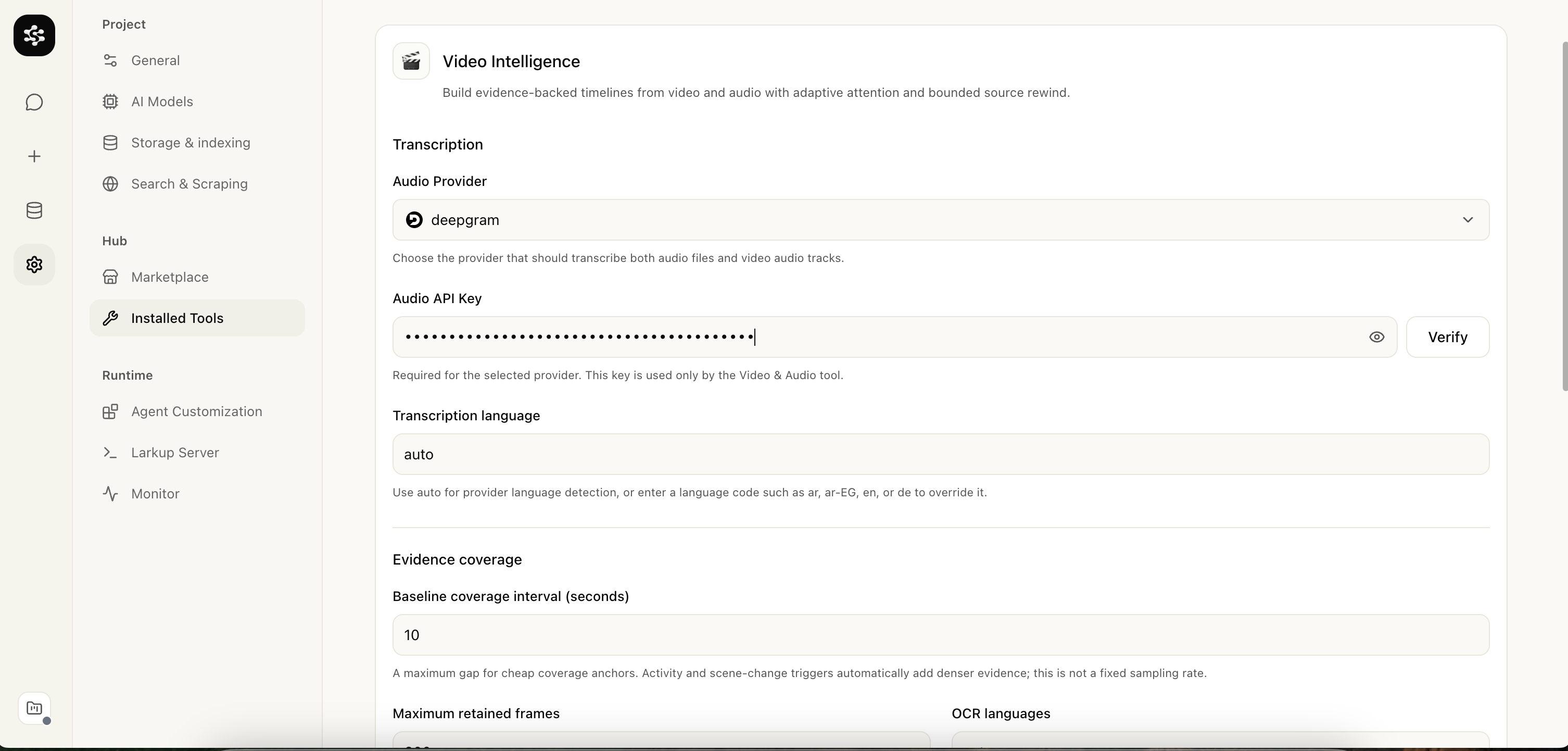
Open **Settings → Installed Tools → Video Intelligence** and choose an Audio Provider and API key. Leave the language on auto to detect it.
## Set the transcription provider
Open **Settings → Installed Tools → Video Intelligence** and choose an Audio Provider and API key. Leave the language on auto to detect it.
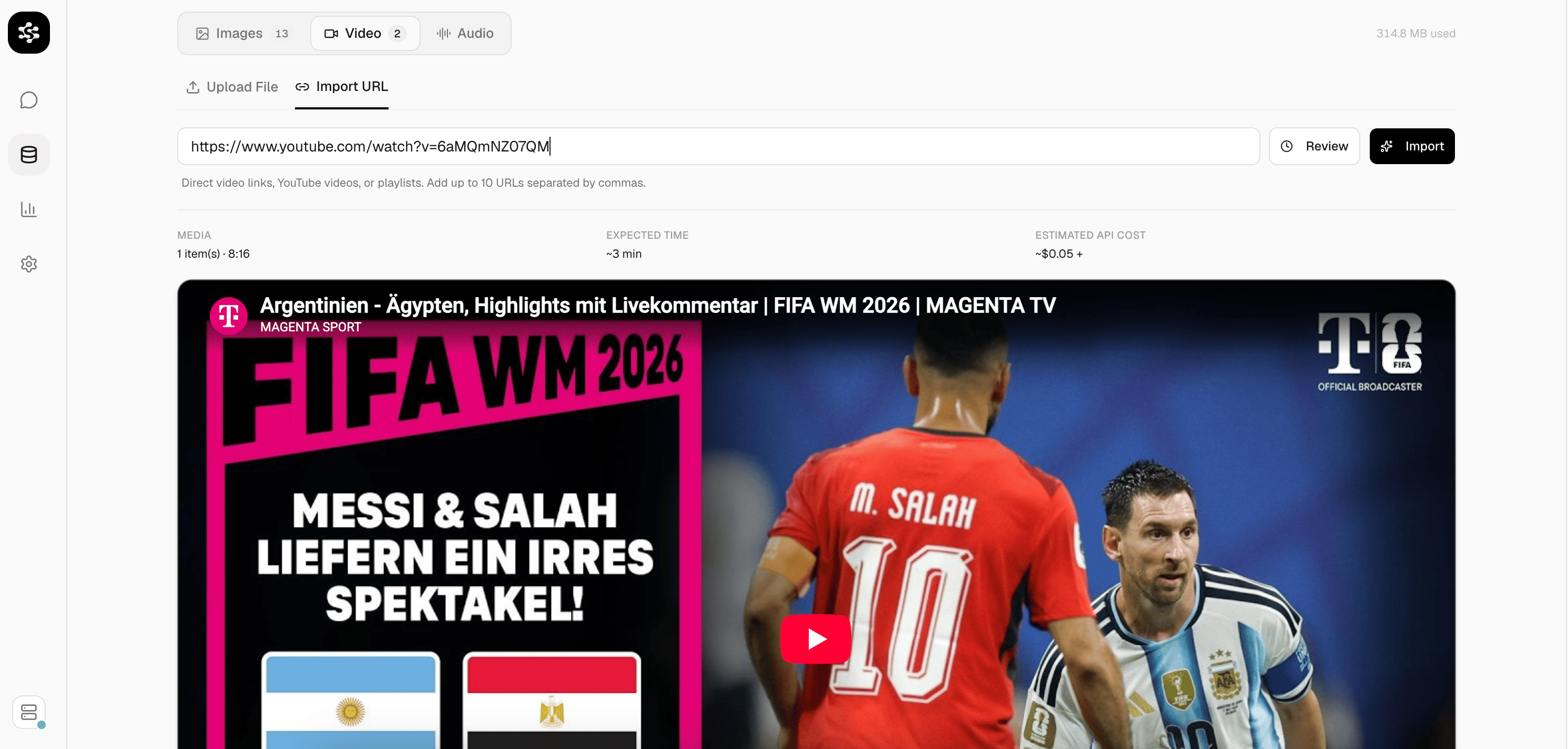
 ## Import a video
Open **Data → Media**. Upload a file from your computer or paste a YouTube link, then confirm the import.
## Import a video
Open **Data → Media**. Upload a file from your computer or paste a YouTube link, then confirm the import.
 Larkup transcribes the speech, reads visible text, and analyzes the video in the background. You can watch progress live in the Media panel.
Choose a vision capable model in **Settings → AI Models → Vision Model** before importing for the best results.
## Ask in Chat
Open **Chat** and ask about the video: who said something, what happened at a certain point, or what the outcome was.
Larkup transcribes the speech, reads visible text, and analyzes the video in the background. You can watch progress live in the Media panel.
Choose a vision capable model in **Settings → AI Models → Vision Model** before importing for the best results.
## Ask in Chat
Open **Chat** and ask about the video: who said something, what happened at a certain point, or what the outcome was.
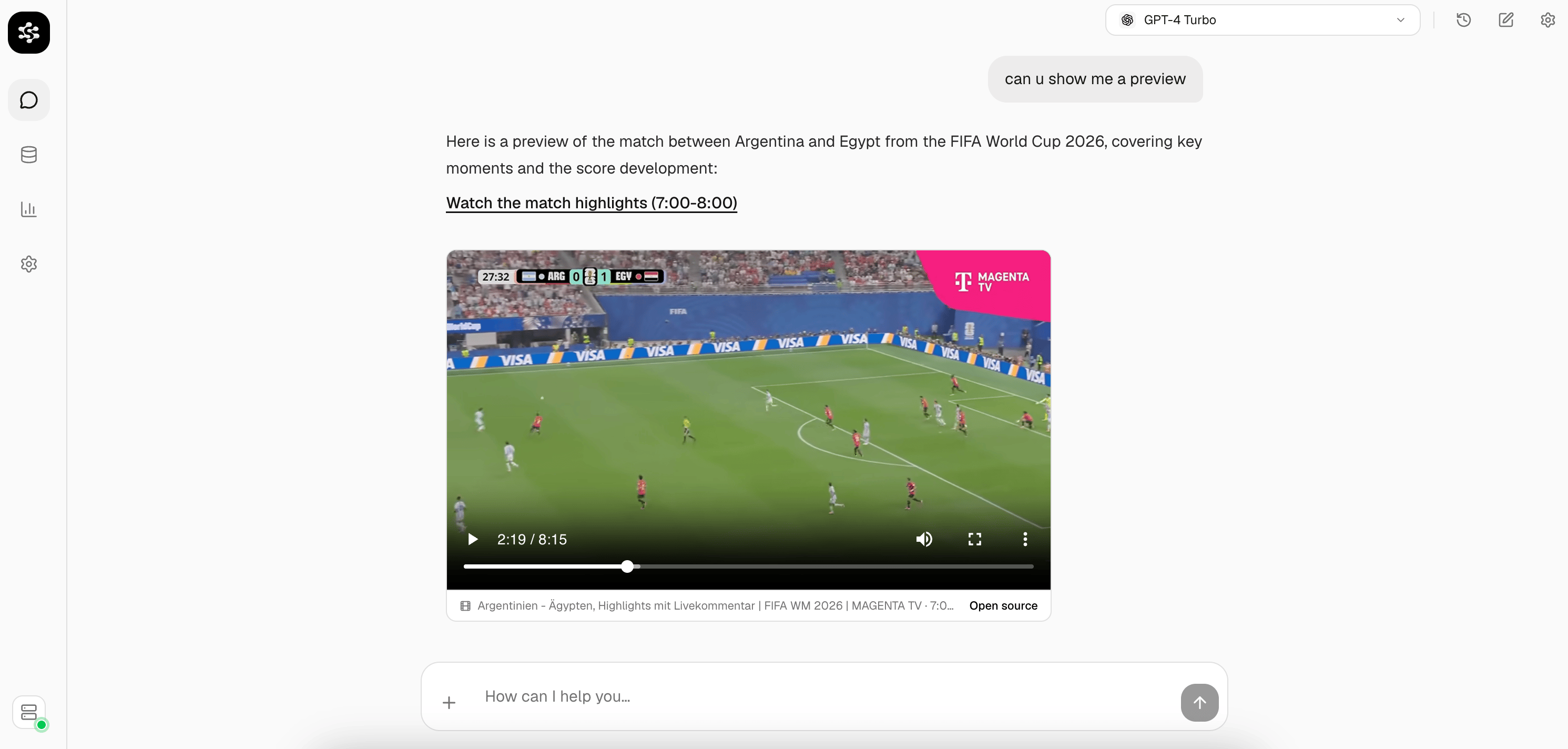 Try asking, "Show me the moment at seven minutes." For a YouTube video the citation also links directly to that timestamp on YouTube.