> ## Documentation Index
> Fetch the complete documentation index at: https://larkup.de/documentation/llms.txt
> Use this file to discover all available pages before exploring further.
# Configuration Reference
> Configure models, storage, installed tools, and agent access.
Open **Settings** to configure the active Larkup workspace. Changes apply to Chat, indexing, and the generated server.
## AI Models
Use **Settings → AI Models** to choose the provider and model for embeddings, chat, and vision.
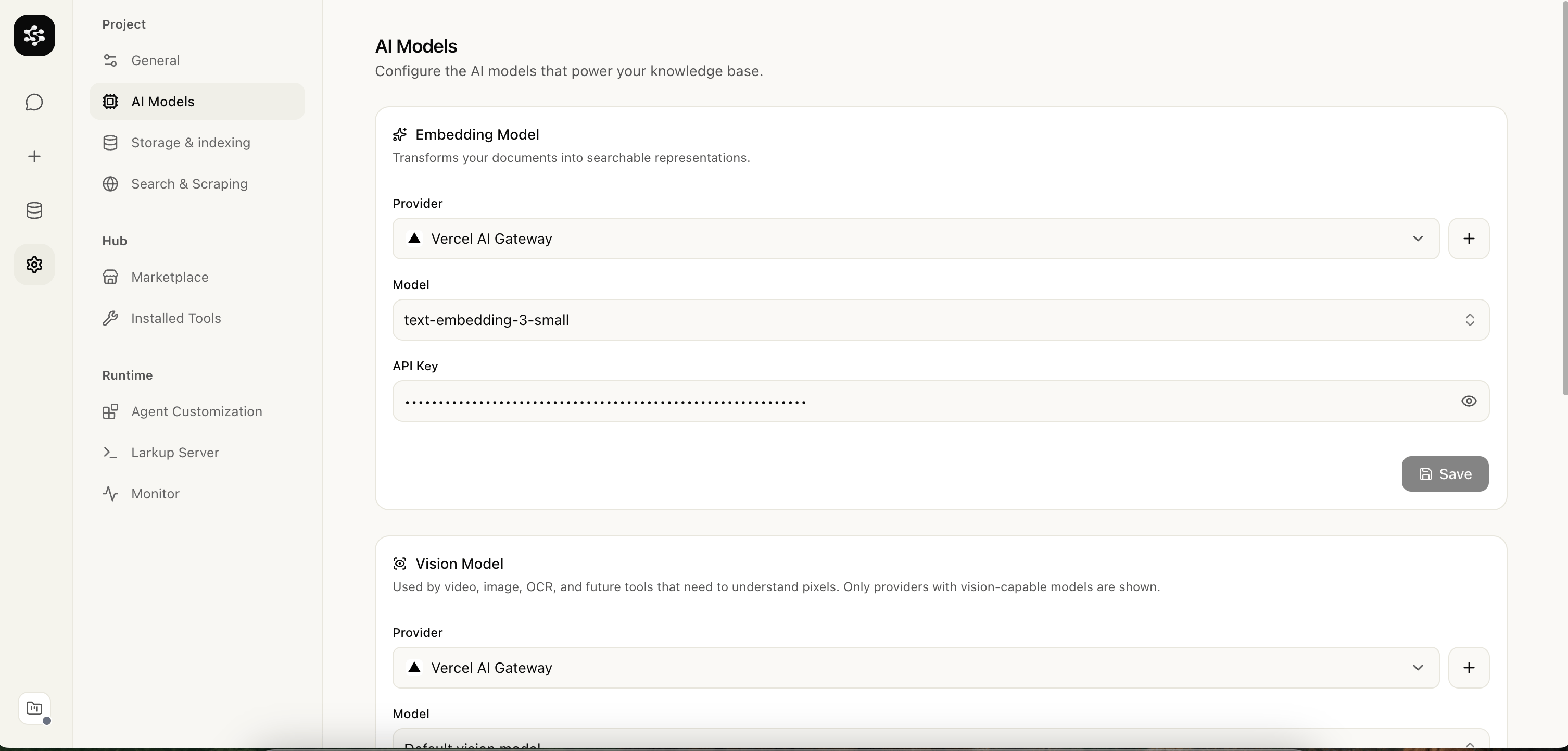 The embedding model turns content and queries into vectors; changing it requires indexing existing content again. The chat model answers from retrieved context and can use a different provider than embeddings. The vision model powers video, image, and OCR tools and can also differ from the chat model.
## Storage and retrieval
Use **Settings → Storage** to choose Semantic, Lexical, or Hybrid retrieval and the storage engine. LanceDB runs from a local path, LanceDB Cloud, or S3 compatible storage; use a persistent remote mode before deploying to a serverless platform.
## General
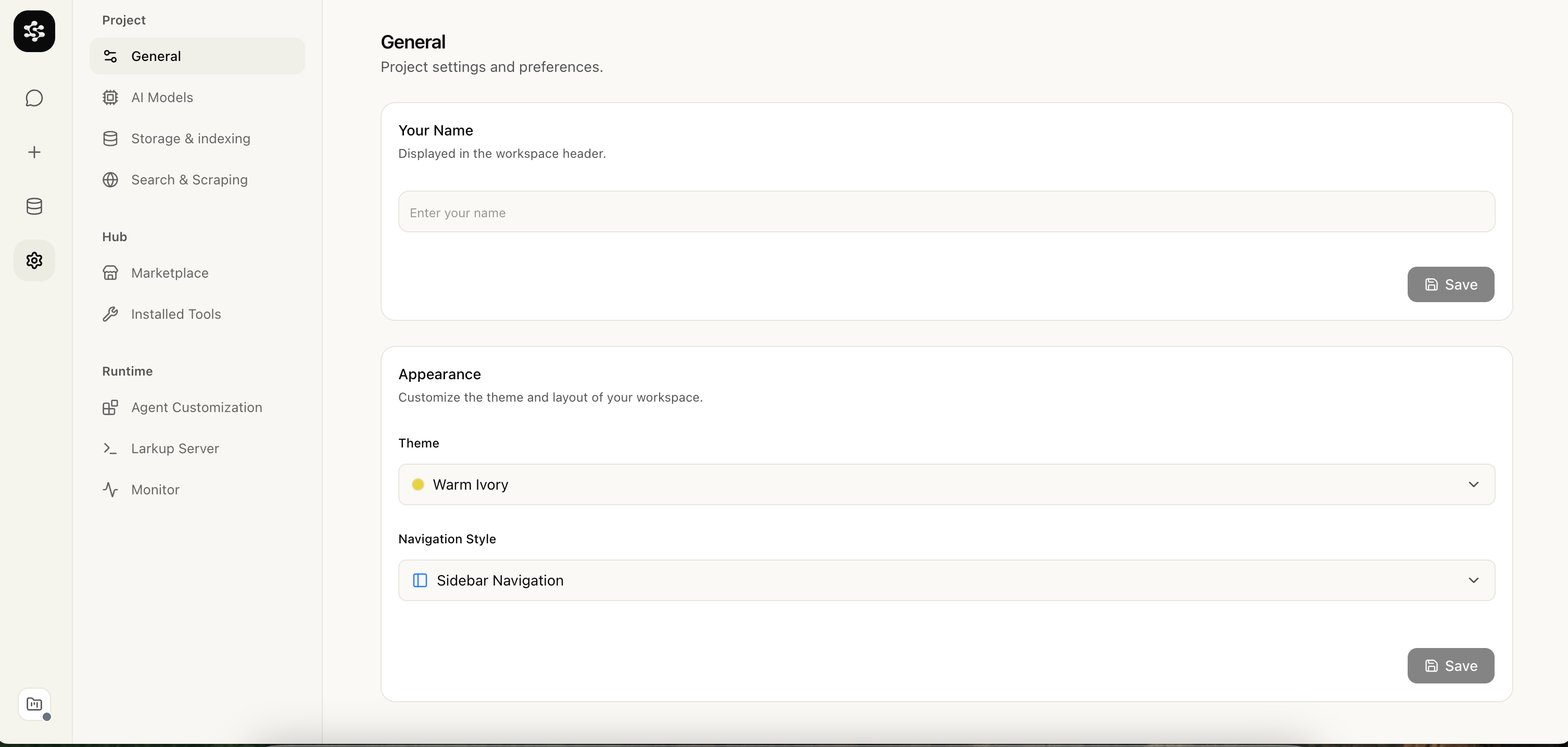
Use **Settings → General** to name the workspace and set its theme.
The embedding model turns content and queries into vectors; changing it requires indexing existing content again. The chat model answers from retrieved context and can use a different provider than embeddings. The vision model powers video, image, and OCR tools and can also differ from the chat model.
## Storage and retrieval
Use **Settings → Storage** to choose Semantic, Lexical, or Hybrid retrieval and the storage engine. LanceDB runs from a local path, LanceDB Cloud, or S3 compatible storage; use a persistent remote mode before deploying to a serverless platform.
## General
Use **Settings → General** to name the workspace and set its theme.
 Web search is configured separately under **Settings → Search & Scraping**, covered in [Web Crawl at Scale](/documentation/documentation/guide/data-loading).
## Installed tool settings
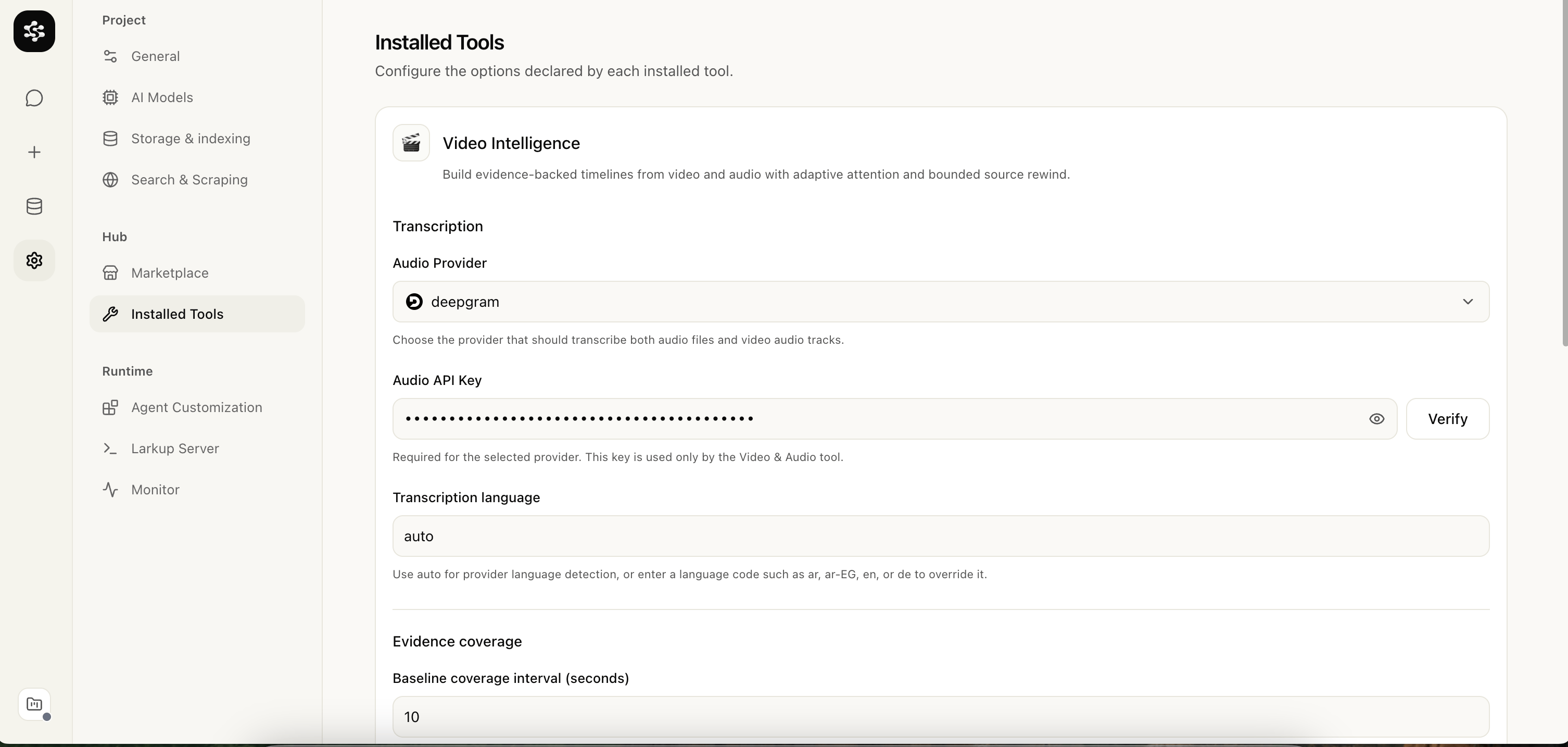
Marketplace tools add their own settings under **Settings → Installed Tools**.
Web search is configured separately under **Settings → Search & Scraping**, covered in [Web Crawl at Scale](/documentation/documentation/guide/data-loading).
## Installed tool settings
Marketplace tools add their own settings under **Settings → Installed Tools**.
 ## Agent tools
Use **Settings → Agent Customization** to control the prompt, tools, skills, MCP connections, and sandbox the assistant can use. See [Agent Server API](/documentation/documentation/developer/agent-runtime-api).
## Server configuration
After configuring models, storage, and tools, open **Settings → Larkup Server** to launch or deploy the API. See [Deploy Your Server](/documentation/documentation/developer/deploy).
## Agent tools
Use **Settings → Agent Customization** to control the prompt, tools, skills, MCP connections, and sandbox the assistant can use. See [Agent Server API](/documentation/documentation/developer/agent-runtime-api).
## Server configuration
After configuring models, storage, and tools, open **Settings → Larkup Server** to launch or deploy the API. See [Deploy Your Server](/documentation/documentation/developer/deploy).